
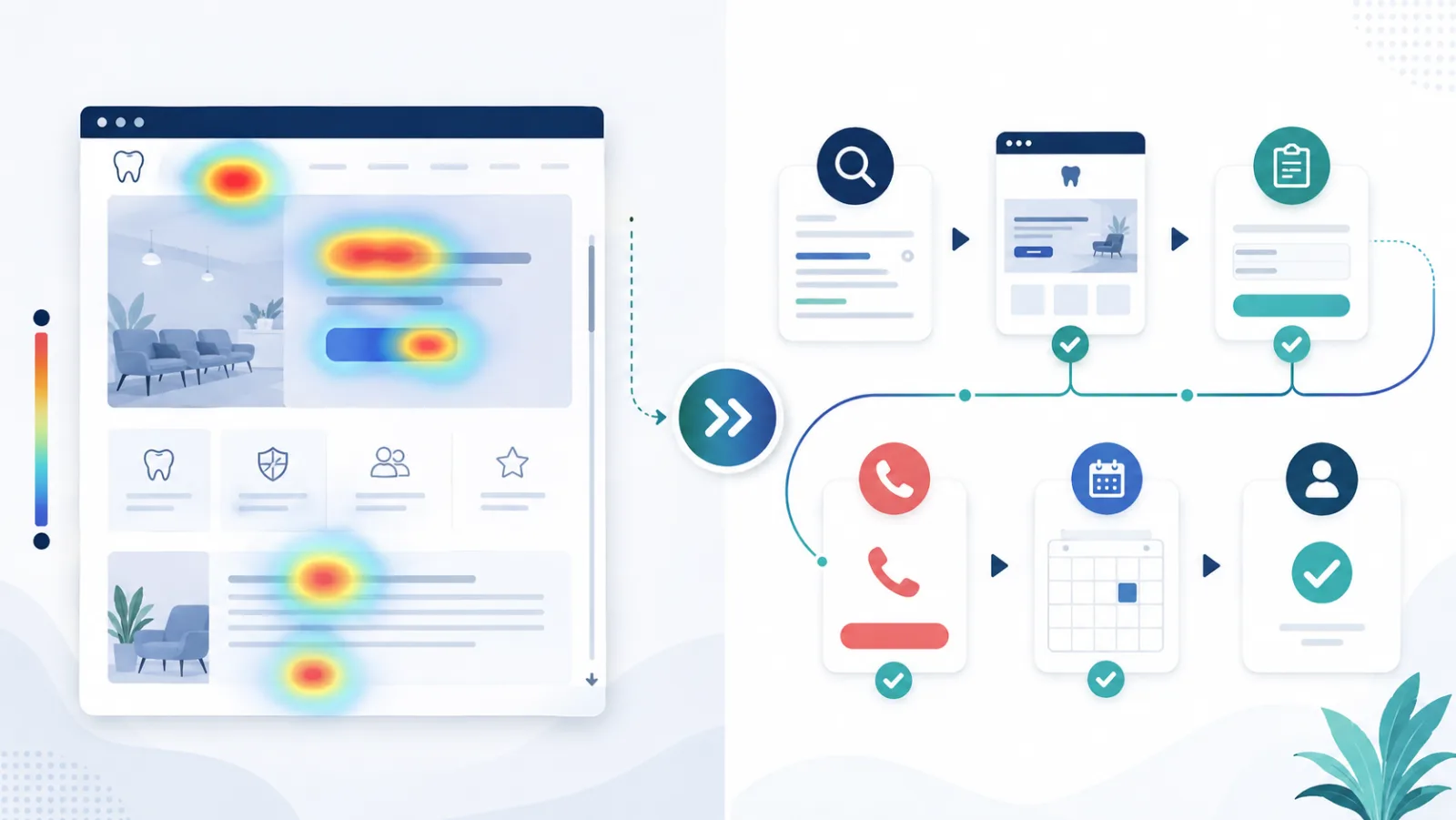
Heatmaps and patient journey tracking answer different questions. Treating them as substitutes can lead a dental practice to fix the wrong problem.
A heatmap helps explain how groups of visitors interact with one page. Patient journey tracking follows progress across pages, contact methods, scheduling, and patient outcomes. One provides page-level behavior. The other provides the path and business result.
What a heatmap shows
Heatmaps can summarize where visitors click, how far they scroll, and which areas receive attention. They are useful for questions such as:
- Do visitors see the appointment button?
- Are people clicking an image or heading that is not a link?
- Does important insurance information appear below the point where most visitors stop?
- Does mobile behavior differ from desktop behavior?
- Which part of a service page receives the most interaction?
Microsoft Clarity supports click, scroll, area, attention, and conversion maps. Its scroll maps show how far users move down a page and whether important content is likely to be seen. See the Microsoft Clarity heatmap guide.
What a heatmap cannot show
A heatmap does not prove that a visitor scheduled or arrived. It may show a popular appointment button without revealing whether the scheduler loaded, the form was completed, the office responded, or the patient kept the appointment.
Heatmaps can also combine visitors with different intent. A useful analysis separates devices, traffic sources, pages, and conversion outcomes before drawing conclusions.
What patient journey tracking shows
Patient journey tracking connects the stages a prospect moves through:
- Discovery through search, maps, advertising, social media, or referral
- Website pages and content viewed
- Phone, form, chat, text, or scheduler action
- Office response and appointment status
- Arrived new patient
- Consultation, treatment acceptance, or production when appropriate
This helps answer business questions:
- Which marketing sources create scheduled patients?
- Where do qualified inquiries fail to become appointments?
- Which services attract interest but produce weak follow-through?
- How long does the decision process take?
- Which channels assist the journey even when they do not receive last-click credit?
What journey tracking cannot explain by itself
A funnel can show that many visitors reach the appointment page but few complete the request. It cannot always explain why.
The cause may be a confusing field, an obscured button, a mobile layout problem, or a slow third-party scheduler. This is where heatmaps and filtered session recordings add context.
Use both tools in the right order
Start with the journey data to identify the stage with the largest meaningful loss. Then use heatmaps and recordings to investigate behavior at that stage.
For example:
- Journey tracking shows a large drop between appointment-page visits and completed requests.
- Event data shows many form starts but few successful submissions.
- A mobile heatmap shows repeated taps near a difficult field.
- Filtered recordings show users leaving when the form requests information they do not have.
- The practice shortens the initial form and measures completed requests, scheduled appointments, and arrivals.
This workflow turns observation into a test tied to a patient outcome.
Protect privacy and data quality
Dental websites may contain forms and pages where visitors enter sensitive information. Review privacy, consent, masking, and access settings before using behavior tools. Avoid collecting protected information in marketing analytics.
Microsoft states that Clarity masks sensitive data by default in session recordings, but each practice remains responsible for its own configuration and compliance review. Confirm how the website, forms, scheduling vendor, analytics tools, and privacy policy work together.
Also test the underlying events. A clean heatmap cannot correct an appointment event that fires at the wrong time or an office status that is never updated.
Choose the tool based on the question
Use heatmaps when the question is about interaction on a page. Use journey tracking when the question is about movement across the funnel and the final practice outcome. Use both when you know where the loss occurs but need to understand the behavior causing it.
WatermelonSeed Marketing connects search, website behavior, contact activity, and patient outcomes into one practical view. Request a patient conversion review to see where heatmaps and journey data can reveal the first opportunity.